

I have used Thrive Architect since it was called Thrive Content Builder. After I started rebuilding my old affiliate posts with it, I noticed something: readers stayed longer, clicked more buttons, and my affiliate sales roughly doubled over the following months.
The plugin was not magic. What changed was how I presented my content. Here are the six techniques that made the difference, and how you can use them with Thrive Architect (or any good page builder).
Thrive Architect is a drag and drop visual editor for WordPress from Thrive Themes. It is included in the Thrive Suite membership.
| Technique | Why it boosts sales |
|---|---|
| Engaging post layouts | Readers stay longer and read more |
| Comparison tables | Help readers decide quickly |
| Call to action buttons | Get more clicks than plain links |
| Review summary boxes | Give skimmers the verdict upfront |
| Exit intent offers | Recover visitors who are leaving |
| Landing pages | Focus traffic on one offer |
1. Create Engaging, Easy to Skim Posts
More engagement means more time on page, and more chances to click. Thrive Architect has elements like styled lists, highlight boxes, columns, tabs, toggles, and a table of contents. Breaking up long walls of text with these makes posts easier to read, especially on mobile.
2. Add Comparison Tables
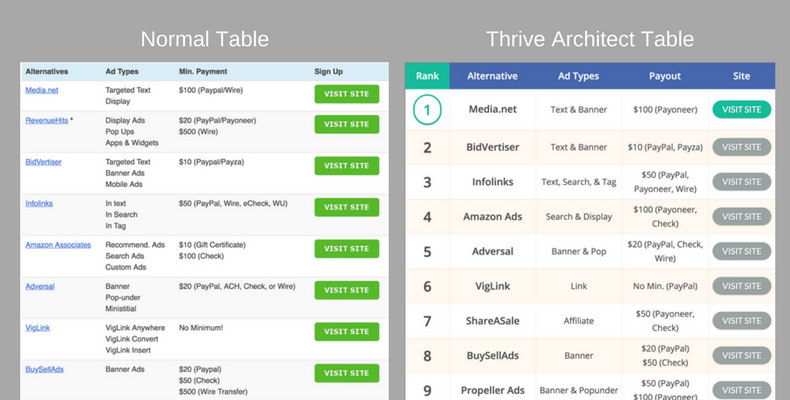
Comparison tables are one of the best converting elements in affiliate posts. Readers can compare options at a glance and click straight to the one they want. Thrive Architect includes table templates designed for affiliate marketers, with buttons and ratings inside the cells.
Prefer a dedicated table plugin? See the best WordPress table plugins.
3. Use Clear Call to Action Buttons
Buttons get far more clicks than text links. In my tests, adding a button below each product section increased clicks noticeably. Thrive Architect lets you style buttons with colors, hover effects, and icons, and save a design to reuse across posts. Keep button text specific, like “Check current price” or “Try it free”.
4. Add a Review Summary Box
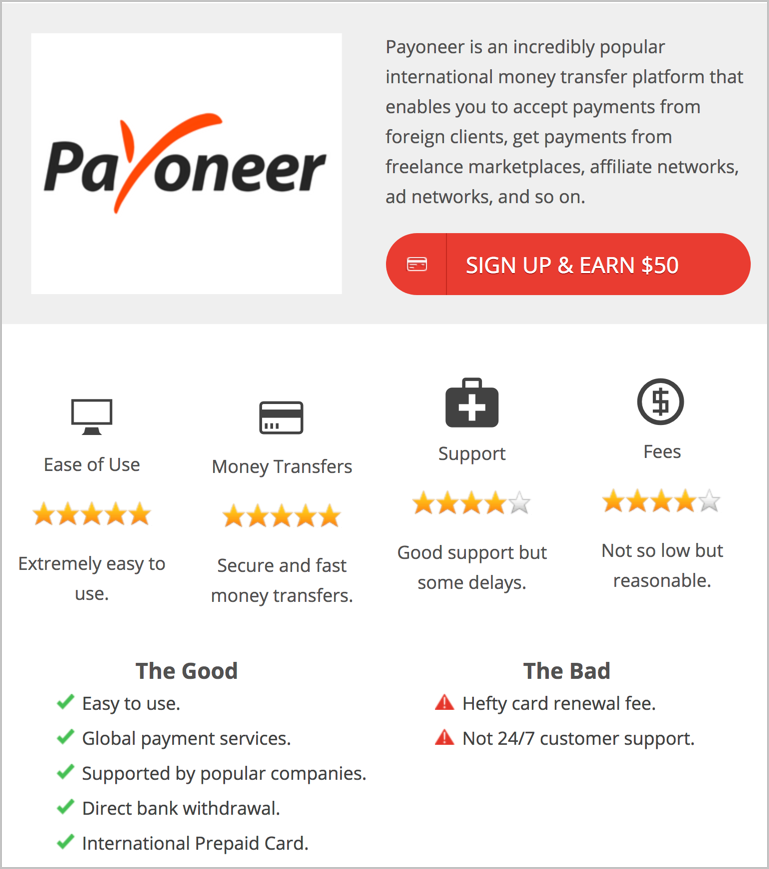
Many readers skim. A box at the top of a review with a short summary, star rating, pros and cons, and a button gives them the verdict right away. You can see one at the top of our Payoneer review.
5. Use Exit Intent Offers
Exit intent detects when a visitor is about to leave and shows a message. Used carefully, for example to offer a discount or a free guide, it can recover sales you would otherwise lose. Thrive Architect can trigger events on exit intent, and Thrive Leads gives you full control over popups. See more exit intent popup plugins.
Do not overdo it. Show it once per visitor and make it easy to close, or it will annoy readers.
6. Build Focused Landing Pages
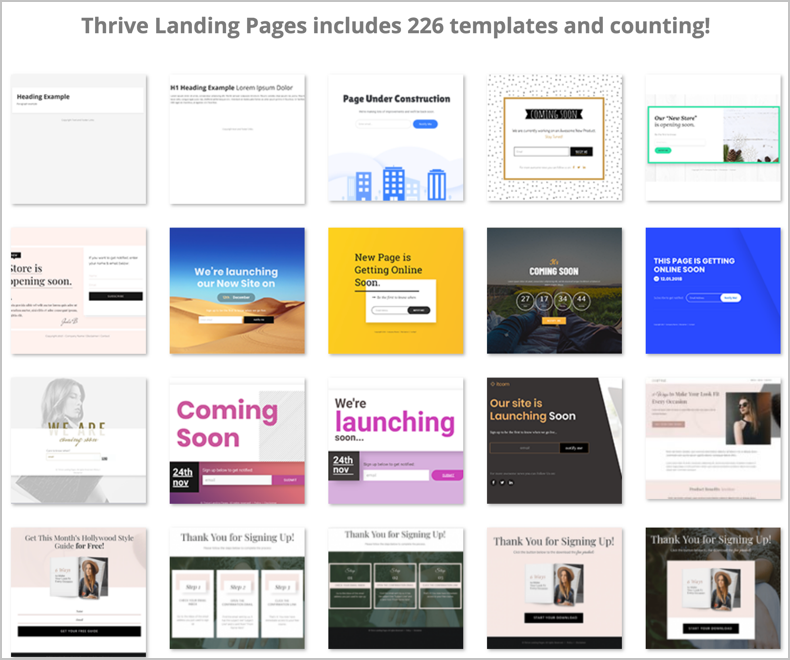
For your best offers, a dedicated landing page with no sidebar or distractions converts better than a regular post. Thrive Architect includes hundreds of landing page templates you can customize, and you can send email or social traffic straight to them.
Measure the Results
Track clicks on your affiliate links and buttons, and compare sales before and after you update a post. Update one post at a time so you know what made the difference.
More ideas: ways to increase affiliate sales and types of posts that generate affiliate sales. You can also see the tools I use on our resources page.
Frequently Asked Questions
What is Thrive Architect?
Thrive Architect is a drag and drop visual editor and landing page builder for WordPress, made by Thrive Themes. It was formerly called Thrive Content Builder.
Can I buy Thrive Architect on its own?
Thrive Themes mainly sells its tools as part of the Thrive Suite membership. Check their site for current options and pricing.
Do I need Thrive Architect to use these techniques?
No. Comparison tables, buttons, review boxes, and landing pages can be built with other tools too, including free block plugins. Thrive Architect just makes it fast and visual.
Will Thrive Architect slow down my site?
It adds some code, but it is well optimized. Use good hosting and caching, and only load the elements you need.


Leave a Reply