

Every time you delete a post, change a URL, merge two articles, or move to HTTPS or a new domain, the old address needs to send people (and Google) to the new one. Without a redirect, visitors hit a 404 page and the rankings and links the old URL earned are lost. On WordPress, a redirect plugin handles this without touching server files. This list covers the 10 best WordPress redirection plugins in 2026, including the free ones most sites should use.
Redirect Types in Plain English
- 301 (permanent): the page has moved for good. Use this for almost everything: changed slugs, deleted posts with a replacement, merged articles, domain moves. Google passes the old URL’s ranking signals to the new one.
- 302 and 307 (temporary): the page will come back. Use for short promotions, maintenance, or A/B tests.
- 308 (permanent): like a 301 but keeps the request method; rarely needed on a blog.
- 410 (gone): not a redirect but a signal that the page was deleted on purpose with no replacement. Google drops it from the index faster than a 404.
- 451: removed for legal reasons.
Google has said that 301, 302, and 307 redirects all pass ranking signals; the real difference is that a permanent redirect tells Google to index the new URL instead of the old one.
Redirection Plugins Compared
| Plugin | Price | 404 Log | Best For |
|---|---|---|---|
| Redirection | Free | Yes | Most sites |
| Rank Math | Free | Yes | Rank Math users |
| Yoast SEO Premium | Paid (Yoast Premium) | Via Search Console | Yoast users |
| AIOSEO Pro | Paid plans | Yes | AIOSEO users |
| Simple 301 Redirects | Free | Pro | A few simple redirects |
| 301 Redirects (WebFactory) | Free, Pro | Yes | Easy redirect and 404 log |
| Safe Redirect Manager | Free | No | Developers, multisite |
| SEO Redirection | Free, Pro | Yes | Site migrations |
| Really Simple Security | Free | No | HTTPS redirects |
| All 404 Redirect to Homepage | Free | Yes | Use with caution |
1. Redirection

Redirection by John Godley is the most popular dedicated redirect plugin, with over 2 million active installs and more than a decade of updates. It creates 301, 302, 307, and 410 redirects, logs every 404 error so you can fix the ones that matter, monitors post slug changes and adds redirects automatically, supports regular expressions and conditional redirects (by login status, browser, referrer, cookie), and can import and export redirects. It is free and the right choice for most sites that do not already have redirects in their SEO plugin.
Key features:
- 2 million+ active installs
- 404 error logging
- Automatic redirects when a slug changes
- Regex and conditional redirects
- Import and export, Apache and Nginx support
Pricing: Free.
2. Rank Math
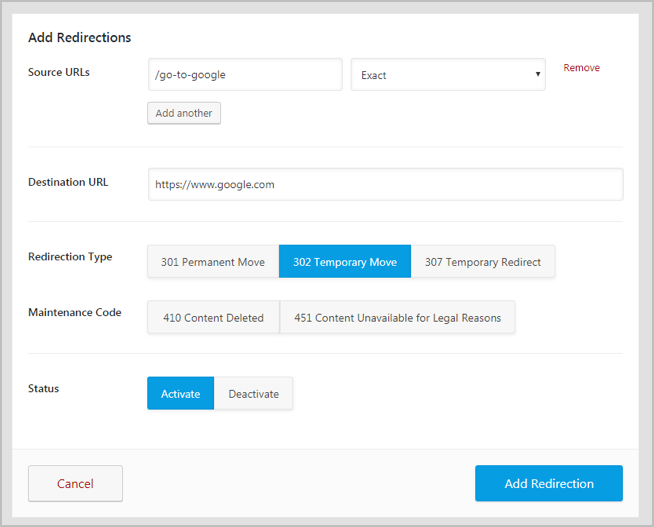
If you use Rank Math, you already have a full redirect manager in the free version: 301, 302, 307, 410, and 451 redirects, a 404 monitor, automatic redirects when you change a post\’s slug, bulk redirects, and regex. Keeping redirects inside your SEO plugin means one less plugin to maintain. RoadToBlogging uses Rank Math\’s redirect manager.
Key features:
- Included in the free version
- 404 monitor
- Auto-redirect on slug change
- Bulk and regex redirects
- No extra plugin needed
Pricing: Free (Pro adds more SEO features).
3. Yoast SEO Premium
Yoast SEO Premium includes a redirect manager that asks what to do whenever you delete a post or change its URL, so redirects are created as you work. It supports 301, 302, 307, 410, and 451 and regex. It is part of Yoast SEO Premium, so it makes sense only if you already pay for Yoast; see our Yoast setup guide.
Key features:
- Prompts for a redirect when you delete or move a post
- 301, 302, 307, 410, 451
- Regex redirects
- Part of Yoast SEO Premium
- Server-level redirect option
Pricing: Included with Yoast SEO Premium.
4. All in One SEO (AIOSEO) Pro
AIOSEO\’s paid plans include a Redirection Manager with 404 logging, automatic slug-change redirects, full site redirects for domain moves, and server-level redirects for speed. If AIOSEO is your SEO plugin, upgrading gives you redirects without another plugin.
Key features:
- 404 logging
- Full site redirects for domain changes
- Automatic slug-change redirects
- Server-level redirects
- Part of AIOSEO paid plans
Pricing: Included with AIOSEO Pro plans.
5. Simple 301 Redirects by BetterLinks
Simple 301 Redirects does one thing: you enter an old URL and a new URL, and it redirects. No logs, no settings to learn. It is now maintained by WPDeveloper (the BetterLinks team) with 100,000+ installs and regular updates. Good for a site that needs a handful of redirects and nothing else.
Key features:
- Very simple interface
- Wildcard support
- Actively maintained
- 100,000+ installs
- Optional BetterLinks integration
Pricing: Free.
6. 301 Redirects by WebFactory

This plugin from WebFactory lets you pick the destination from a dropdown of your existing posts, pages, and categories, so you do not have to copy URLs, and logs 404 errors so you can redirect them in one click. Pro adds advanced 404 handling and URL cleanup. A friendly middle ground between Simple 301 Redirects and Redirection.
Key features:
- Pick destinations from your content
- 404 error log
- Bulk import and export
- Hit counter per redirect
- 300,000+ installs
Pricing: Free. Pro available.
7. Safe Redirect Manager
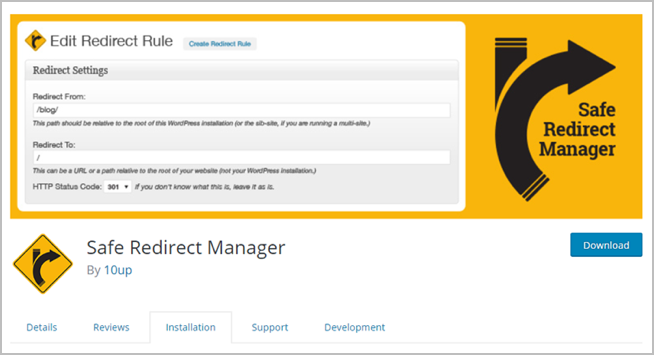
Safe Redirect Manager by 10up stores redirects as a custom post type, supports regex and multisite, and limits the number of redirects to protect performance. It is developer-oriented and used on large agency sites, but the interface is simple enough for anyone.
Key features:
- Built by 10up
- Multisite support
- Regex redirects
- Performance safeguards
- Developer filters and hooks
Pricing: Free.
8. SEO Redirection Plugin
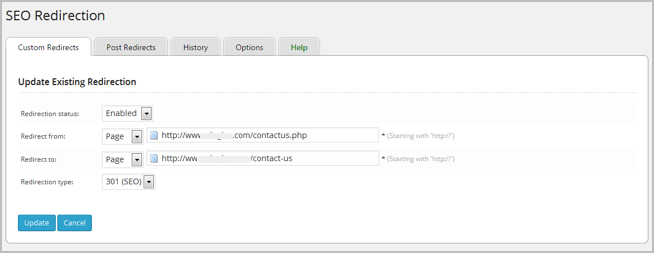
SEO Redirection handles 301, 302, and 307 redirects, wildcard and folder redirects, automatic redirects when post URLs change, and 404 logging, with WPML support. Its folder and wildcard features make it useful for restructuring or migrating sites.
Key features:
- Folder and wildcard redirects
- Auto-redirect on URL change
- 404 log
- WPML support
- Pro version available
Pricing: Free. Pro available.
9. Really Simple Security (formerly Really Simple SSL)
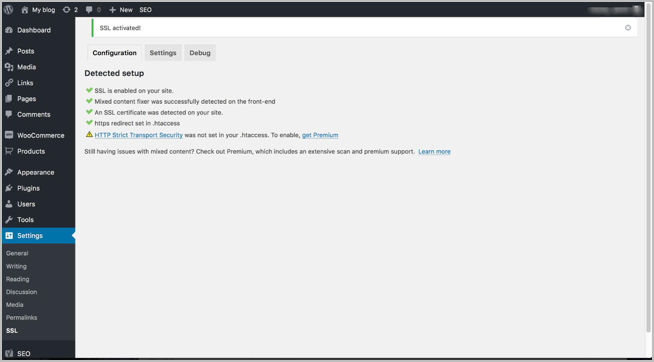
After installing an SSL certificate, every http:// address needs to redirect to https://. Really Simple Security (3 million+ installs) detects your certificate, switches WordPress to HTTPS, adds the 301 redirect, and fixes mixed content warnings in one click, plus security hardening features. Most hosts now force HTTPS automatically, so check before installing.
Key features:
- One-click HTTPS migration
- http to https 301 redirect
- Mixed content fixer
- Security hardening and 2FA
- 3 million+ installs
Pricing: Free. Pro available.
10. All 404 Redirect to Homepage

This plugin sends every 404 to your homepage (or another page) with a 301. It is popular, but use it carefully: Google treats mass redirects to the homepage as “soft 404s” and ignores them, and visitors arriving at the homepage instead of what they wanted are no better off. It is better to redirect each important 404 to its closest relevant page with one of the plugins above, and leave the rest as a helpful 404 page.
Key features:
- Redirects all 404s in one setting
- 404 log
- Option to redirect to a custom page
- Simple setup
- Risk of soft 404s
Pricing: Free.
Which Should You Use?
- Using Rank Math: its built-in redirect manager. No extra plugin.
- Using Yoast free or another SEO plugin: Redirection.
- Just a few redirects: Simple 301 Redirects.
- Moving to HTTPS: check your host first, then Really Simple Security.
Avoid running two redirect plugins at once; they can create loops. Keep redirect chains short (old URL straight to final URL, not through several hops), and check your 404 log once a month. Our guide to finding and fixing broken links covers the rest.
Frequently Asked Questions
Do redirects slow down WordPress?
A plugin redirect adds a few milliseconds. For thousands of redirects, server-level redirects (in .htaccess or Nginx, which Redirection and Yoast can generate) are faster.
How long should I keep a 301 redirect?
Google recommends at least a year; in practice, keep them permanently. Removing them breaks old links and bookmarks.
Should I redirect deleted posts or let them 404?
Redirect if there is a closely related page or the old URL has traffic or backlinks. Otherwise return a 410 or 404; redirecting to an unrelated page does not help.
What is a redirect loop?
Page A redirects to B, which redirects back to A, so the page never loads. It usually comes from two plugins or a plugin and a server rule fighting. Remove one of the rules.


Leave a Reply