

You cannot watch your site around the clock, but an uptime monitor can. It requests your homepage every minute or every few minutes from several locations, and the moment the site stops answering it emails or texts you, so you find out before your readers do and before a long outage costs you rankings and sales. Every service below has a free plan or a cheap one, and setup takes about two minutes.
Updated October 2026: Monitor.Us, SiteUptime, Hyperspin, HostTracker, and BasicState from the original list have shut down or no longer offer a useful free plan and were replaced. Free plan limits were checked in October 2026 and change often, so treat them as a guide.
Uptime Monitoring Services Compared
| Service | Free Monitors | Check Interval (Free) | Paid From |
|---|---|---|---|
| UptimeRobot | 50 | 5 minutes | $7/mo |
| Better Stack | 10 | 3 minutes | $29/mo |
| HetrixTools | 15 | 1 minute | $9.95/mo |
| StatusCake | 10 | 5 minutes | $20.41/mo |
| Site24x7 | 5 | 10 minutes | $9/mo |
| Cronitor | 5 | 1 minute | $2 per monitor |
| updown.io | Trial credits | 1 minute | About $1/mo per site |
| Montastic | 3 | 30 minutes | $4/mo |
| Pingdom | 30-day trial | 1 minute | $10/mo |
1. UptimeRobot
UptimeRobot is still the best free option and the one most bloggers should start with. The free plan monitors up to 50 sites every 5 minutes, checks HTTP, keywords, ping, and ports, and alerts by email, with SMS, push, Slack, Telegram, and webhooks available. You also get a public status page. Paid plans drop the interval to 60 seconds and add SSL and domain expiry monitoring.
Pricing: Free for 50 monitors at 5-minute intervals. Solo from $7 per month.
2. Better Stack
Better Stack (formerly Better Uptime) pairs monitoring with incident management: when a check fails it can phone you, not just email, and it records screenshots and error logs of the failure so you know what went wrong. The free plan has 10 monitors at 3-minute intervals and a status page, which is generous for the quality of the interface.
Pricing: Free for 10 monitors. Paid from $29 per month.
3. HetrixTools
HetrixTools gives the most on its free plan: 15 monitors checked every minute from several locations, plus blacklist monitoring that tells you if your domain or server IP lands on a spam list, which matters if you send email from your site. Alerts go to email, SMS, Slack, Discord, Telegram, and webhooks.
Pricing: Free for 15 monitors at 1-minute intervals. Paid from $9.95 per month.
4. StatusCake
StatusCake monitors uptime, page speed, SSL certificates, and domain expiry from one dashboard. The free plan covers 10 uptime monitors at 5-minute intervals, one page speed test, and one SSL monitor. It is a good choice if you want speed trends alongside uptime.
Pricing: Free for 10 monitors. Superior plan from $20.41 per month.
5. Site24x7
Site24x7 from Zoho is a full monitoring platform (servers, applications, cloud, networks) with a free tier that includes 5 website monitors. It is more than a blog needs, but if you also run a VPS or a few client sites, the server monitoring in the paid plans is worth having in one place.
Pricing: Free for 5 monitors. Paid from $9 per month.
6. Cronitor
Cronitor monitors websites at 1-minute intervals and, unusually, also watches scheduled jobs: if your nightly backup or WP-Cron task stops running, it tells you. The free plan has 5 monitors; paid pricing is per monitor rather than a flat plan, so a small site stays cheap.
Pricing: Free for 5 monitors. Paid from $2 per monitor per month.
7. updown.io
updown.io has no plans at all: you buy credits and pay per check, which works out to roughly $1 a month for one site checked every minute from several continents. It has a clean status page, SSL and domain expiry alerts, and nothing you do not need. The best value for a single site once the free tiers above feel limiting.
Pricing: Pay as you go, about $1 per month per site at 1-minute checks.
8. Montastic
Montastic has been running since 2005 and keeps things simple: 3 free monitors checked every 30 minutes with email alerts. The interval is long, so it is a backup rather than a primary monitor, but it costs nothing and never asks for a card.
Pricing: Free for 3 monitors. Paid from $4 per month.
9. Pingdom
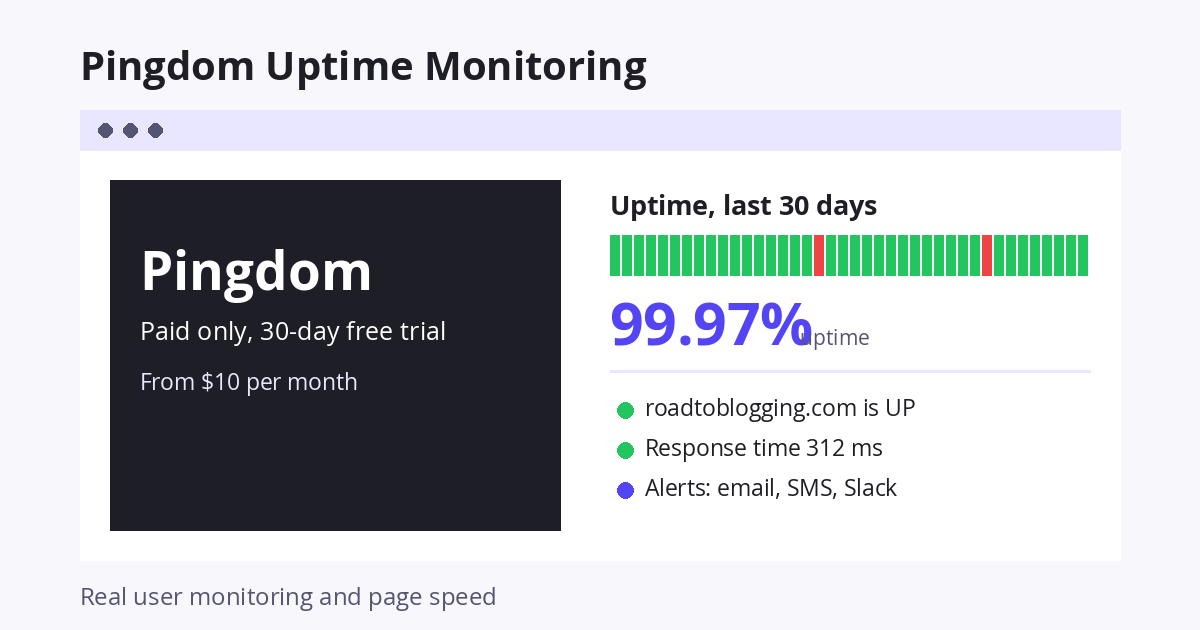
Pingdom, now part of SolarWinds, has no free plan anymore, but it remains the best-known name and the one hosts quote in their uptime guarantees. Plans start at $10 a month for 10 uptime checks at 1-minute intervals, with page speed and real user monitoring on higher tiers. Try the 30-day trial if you want a reference-grade monitor.
Pricing: 30-day free trial. From $10 per month.
How To Set Up Uptime Monitoring
- Sign up for one service (UptimeRobot or Better Stack) and add your homepage URL as an HTTP(s) monitor.
- Add a keyword check: tell the monitor to look for a word that only appears when the page loads correctly, such as your site name in the footer. A plain HTTP check can pass even when WordPress shows a database error.
- Turn on a second alert channel besides email, such as SMS, push, or Slack, so a 3 am outage reaches you.
- Add a second service with a different check location as a backup. Two free plans cost nothing.
- When you get an alert, check your host’s status page first; most short outages are on their side. If it keeps happening, it is time to look at better WordPress hosting.
Frequently Asked Questions
What uptime should I expect from my host?
99.9% is the usual shared hosting guarantee, which allows about 43 minutes of downtime a month. Good managed hosts deliver 99.99% or better. If your monitor shows less than 99.9% over several months, ask for a credit or move.
Is UptimeRobot still free?
Yes. The free plan covers 50 monitors at 5-minute intervals with email alerts. Paid plans add 60-second checks and SMS credits.
How often should a monitor check my site?
Every 1 to 5 minutes is enough for a blog. Shorter intervals catch outages a few minutes sooner but do not change what you can do about them.
Why does my monitor report downtime when the site looks fine?
Usually a slow response that exceeded the timeout, a firewall or security plugin blocking the monitor’s IP, or a short network blip. Check the monitor’s error message, whitelist its IP ranges in your firewall, and enable checks from several locations so one failed region does not count as down.
Do I need a WordPress plugin for uptime monitoring?
No. A plugin runs inside the site it is supposed to monitor, so it cannot report that the site is down. Use an external service like the ones above. Jetpack’s downtime monitor is the one plugin-based option that works, because the checks run from WordPress.com’s servers.


Leave a Reply